
Harry Kasper
Germany
May 29, 2025
5 out of 5 stars
It took a long time, but it works very well
Convert OST to PST file directly in your browser

Drop your OST file here
OST to PST
Secure file processing. Automatically deleted after conversion
Step 1
Select OST file
Step 2
Converting
Step 3
Download PST file
By clicking Upload file, you agree to the Terms of Service and EULA.
Progress
Please wait while the file is converting
Progress of file upload:
The program has no restrictions on the number and size of files
An online OST to PST converter is a browser-based service that transforms an Outlook Offline Storage Table (OST) file into a portable Personal Storage Table (PST) file without installing Microsoft Outlook or Windows software. Recovery Toolbox lets users convert OST to PST online from Windows, macOS, Linux, Android, or iOS by uploading the file, reviewing the recovered mailbox structure, and downloading the converted PST. This OST to PST online workflow helps recover emails, contacts, calendars, attachments, and folders from orphaned, encrypted, password-protected, damaged, or oversized OST files. A free preview allows users to verify recoverable data before purchasing the conversion.
The online OST to PST file conversion service does not require:
Tested & Verified on Microsoft Outlook 2024, 2021, 2019, 2016 and Office 365 OST files with size up to 150Gb. Reviewed by MS MVP Victor Bobrov.
Security & Data Privacy: Secure file processing and conversion. SSL protocols for connections. Automatic deletion of all files 10 days after upload. No registration required. Full compliance with GDPR requirements.

Converting OST to PST is a critical task for IT professionals, system administrators, and Microsoft Outlook users who have lost access to their mailbox data. OST (Offline Storage Table) files are created by Microsoft Outlook when working with Microsoft Exchange Server, Office 365, and IMAP services, such as Gmail, Yahoo, and Hotmail. When a user profile is damaged, or the Exchange server is no longer available, restoring data becomes possible only with the help of specialized tools.
Recovery Toolbox offers two robust solutions:
The online OST to PST conversion tool is compatible with all major platforms, including Windows, macOS, Linux, Android, and iOS. Whether you're using a desktop, laptop, tablet, or smartphone — all you need is a modern browser. It's the perfect choice if you need a Mac OST file converter or a solution that works outside the Windows ecosystem.
You don't need to install any software or configure Microsoft Outlook. Upload the OST file to the cloud and download the converted PST file when it's ready. This is especially useful when you need to convert an OST file to PST without having Outlook installed.
The service operates independently of Microsoft Outlook and Windows domain access. How do I open an OST file without Outlook? This tool solves it in just a few steps — no passwords, no corporate credentials required.
The OST to PST online converter is fully compliant with corporate security policies:
This makes the solution ideal for enterprise IT departments and remote workers.
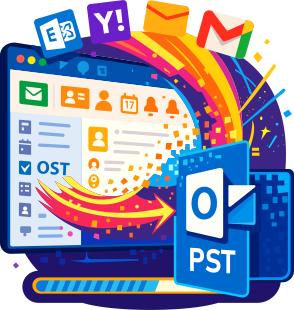
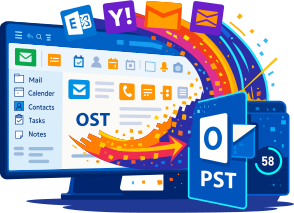
This cloud-based OST file converter supports:
If you're looking for a tool that supports the conversion of encrypted OST files, this service delivers reliable data recovery and saves the output in standard PST format.
The cost of conversion is just $10 per OST file (up to 1 GB) — a much more affordable solution compared to a $39 license for the desktop version. You only pay for what you use.
No registration or account creation is required. Visit the website, upload your OST file, and download the PST file in minutes. It's one of the fastest and most convenient ways to perform OST to PST conversion online through a browser.
The Recovery Toolbox online service is more than just an alternative to desktop software. It's a full-featured, secure, and efficient solution for:
If you need a simple, safe, and effective way to recover data from an OST file, choose the trusted online OST file converter from Recovery Toolbox.
Another valuable feature is the free OST file viewer, which allows you to preview OST content without Microsoft Outlook, passwords, Windows access, or domain credentials. Select the OST file on the service homepage, upload it, and view the content right in your browser after conversion. You can also download a limited version of the PST file at no cost.

Question:
I have a Windows 11 laptop running Microsoft Outlook 2021. I accidentally removed my work Exchange Server account from Outlook. The app then created a new profile and stopped showing my old local mail. The OST file is still on disk and should contain messages, contacts, calendar items, tasks, and attachments, but the server account is no longer available, and Outlook will not let me add the OST through Data Files. I need an ost to pst converter online to pull data out of this orphaned OST without installing another app. What is the safest way to recover the local mail and reconnect it to Outlook?
Answer:
An ost to pst converter online is useful here because an OST is tied to its original Outlook profile and mail account, while a PST is a portable data file that classic Outlook for Windows can open separately. First, make a copy of the original OST and never work on your only copy.
The obvious option: If the account can still be restored, add it back to Outlook or ask the administrator to recover the mailbox, wait for synchronization to finish, and use Outlook's built-in PST export. If the account or the entire Outlook profile has already been deleted and the server rejects the credentials, this will not make the old OST mount automatically.
Practical online workflow: Open https://osttopst.recoverytoolbox.com/online/, select the OST copy, and wait for conversion to finish. Review the folder tree and download the limited demo PST for a sanity check. If the structure and content look right, pay for the conversion and download the complete PST. In classic Outlook 2016/2019/2021/2024 or Outlook for Microsoft 365, go to File -> Account Settings -> Account Settings -> Data Files -> Add, then select the converted PST.
Question:
My Windows 10 PC used Outlook for Microsoft 365, but the corporate subscription ended, the Microsoft 365 license was revoked, and access to the work mailbox was blocked. Outlook no longer syncs or allows a normal export. A large OST remains in the Windows profile and should contain messages, contacts, appointments, and notes. I need a practical how to convert ost to pst file workflow so I can save a standalone archive before wiping the old laptop. Can I verify the result first and download the complete PST afterward?
Answer:
A reliable how to convert ost to pst file workflow is needed because the local Outlook cache has lost its link to the licensed mailbox. An expired subscription or revoked license does not turn an OST into a portable archive; the old OST remains tied to the previous profile.
The obvious option: Ask the administrator whether the license or mailbox access can be restored temporarily. If it can, open the mailbox in Outlook and export it through File -> Open & Export -> Import/Export. This is the most direct route when the server copy still exists and contains all the data.
If access cannot be restored, use https://osttopst.recoverytoolbox.com/online/. Copy the OST to a separate folder, open the service in a browser, select the OST, wait for processing to finish, and review the resulting folder tree. Download the demo PST and spot-check several folders and item types. After payment, download the complete PST and add it to classic Outlook through Data Files. Keep the source OST until you have verified the message count, contacts, and calendar entries.
Question:
I administer a small company's IT. A Windows 11 workstation running Outlook 2019 still has an OST from a former employee. After the employee left, the Active Directory account and Exchange Server mailbox were deleted, and the server-side recovery window has expired. Management wants only the business messages, contacts, and calendar data the company is legally authorized to retain to be handed to the new owner. Is ost to pst conversion required here, and how can I create a portable PST when the old Outlook profile can no longer sign in?
Answer:
In this scenario, ost to pst conversion is appropriate when the employee account and server mailbox are gone and the local OST may be the last available copy. A PST can be stored separately, opened in classic Outlook, and provided to an authorized employee without reconnecting the deleted account.
The obvious option: Check deleted-mailbox retention, Exchange or Microsoft 365 backups, retention policies, and administrative export options first. If a server copy is available, server-side recovery or export will usually preserve the most complete data set and a better audit trail.
If there is no server source, work from an OST copy. At https://osttopst.recoverytoolbox.com/online/, select the file, wait for conversion, and inspect the OST folder tree. Download the demo PST to check quality, then pay for the service and download the complete PST. Add it to Outlook through Data Files and grant access only to authorized personnel. The same workflow applies when an Active Directory user, Microsoft 365 account, or mailbox has been deleted after termination but a local cache remains on the computer.
Question:
I have a Windows 11 desktop running Outlook 2024. I lost the password for an old mail account, account recovery is disabled, and the MFA app was on a phone that no longer works. The corporate account is locked, the former administrator no longer supports the server, but an OST containing work mail I am authorized to access is still on disk. Can an ost converter to pst tool recover messages and contacts without signing in, and what should I try before conversion?
Answer:
An ost converter to pst tool is not a way to bypass a password or MFA. It extracts data from a local OST that the user is legally authorized to access, creates a portable copy, and does not restore the mail account itself.
The obvious option: Start with the official password-reset process, MFA recovery codes, another enrolled authentication factor, or help from the current administrator or mail provider. If the provider service has ended, the old administrator is unavailable, or the account is permanently locked, the server route may be closed.
In that case, make a copy of the OST and upload the copy at https://osttopst.recoverytoolbox.com/online/. After online OST-to-PST conversion, review the folder tree in your browser and download the demo PST. If the messages, contacts, and appointments look correct, pay for the conversion, download the complete PST, and add it to classic Outlook through Data Files. Do not delete the source OST or Windows profile until the complete result has been verified.
Question:
An old Windows 10 computer running Outlook 2016 still contains an OST from a company that shut down. The corporate domain expired, Exchange Server is offline, the mail-provider contract ended, and the former administrator cannot be reached. The OST contains business correspondence and contacts I am authorized to keep. Can an online ost pst converter create a standalone PST even though the organization and server account no longer exist?
Answer:
In this situation, the OST is orphaned: Outlook cannot validate the old account and will not mount the OST as a regular data store. An online ost pst converter creates an independent PST that does not require the old domain or Exchange Server to be running.
The obvious option: Before converting, find out whether server backups, an archive held by the company's liquidator, or an export from the mail provider still exists. If one does, compare it with the local OST and use the most complete source. Also confirm that you are authorized to process the corporate mail.
If no server copy exists, open https://osttopst.recoverytoolbox.com/online/ on any device with a current browser, select an OST copy, and wait for conversion to finish. Review the OST folder tree and the demo PST, then pay for the conversion and download the complete PST. Open it through Data Files in classic Outlook. This workflow applies when a company closes, a mail domain expires, a provider stops service, or the former administrator is permanently unavailable.
Question:
I am a systems administrator. An Exchange Server 2016 hardware failure damaged the EDB database, no usable backup exists, and part of the Active Directory infrastructure was lost. The server has been reinstalled, but the old Exchange organization could not be recovered. Windows 10 user PCs running Outlook 2019 still contain OST files that may be the last local copies of their mail. Can we use an online ost to pst converter to create separate archives and import them into a new mail system later?
Answer:
In a disaster-recovery scenario, an online ost to pst converter can extract data from local caches when the server is physically damaged, the Exchange database is gone or the EDB cannot be repaired, backups are unusable, the server has been reinstalled, or Active Directory can no longer bring the old organization online.
The obvious option: Preserve disk images of the servers and workstations, try the supported Exchange/EDB recovery procedures, and verify every backup first. For many mailboxes or a full outage, build a centralized recovery plan with a log of each source file and result.
If a particular OST is the only remaining source, make an immutable working copy and convert that copy at https://osttopst.recoverytoolbox.com/online/. Inspect the converted OST folder tree and demo PST, then download the complete PST after payment. In the new environment, open it in classic Outlook or import it with administrative tools that support PST files. Do not delete the original OST files until folder names, dates, and item counts have been reconciled.
Question:
I use Windows 11 and Outlook 2021. After Microsoft Office was reinstalled, a new profile was created in the Mail control panel, and the old OST would no longer mount. I also moved the computer to another domain and ran Outlook under a new local Windows account, so the original user profile has been replaced. The mail server is unavailable, but a profile backup contains the OST with local correspondence. Do I need online ost pst conversion if Outlook will not let me select this file under Data Files?
Answer:
That is exactly when online ost pst conversion is useful. Reinstalling Outlook, Office, or Windows; creating a new profile through Mail; changing domains; or switching Windows users changes the cache binding. Even a healthy old OST normally cannot be mounted like a PST by simply browsing to it.
The obvious option: If the source mailbox still works, add the same account to the new profile and let it sync again, then use the built-in PST export. This is also worth trying after restoring the user profile or replacing a damaged Outlook profile.
When the server is unavailable, copy the old OST out of the backup and open https://osttopst.recoverytoolbox.com/online/ in a browser. Select the OST, wait for the folder tree, download the demo PST, and inspect the data. After payment, download the complete PST and add it to classic Outlook through Data Files. This applies after reinstalling Outlook, Office, or Windows; changing the local account; joining another domain; or running Outlook as a different Windows user.
Question:
Our company completed a cross-tenant Microsoft 365 migration. A Windows 11 laptop running Outlook for Microsoft 365 still has an OST from the old tenant, but the source account is disabled and some local folders are missing from the new mailbox. I need an outlook ost to pst convert workflow to inspect the old cache and import missing messages, contacts, and calendar items into the new mailbox. What should I do now that the standard migration is complete?
Answer:
An online outlook ost to pst convert workflow can serve as a fallback when the old server or tenant is no longer available and the local OST contains data that did not reach the new mailbox. The PST acts as a portable staging container for review and later import.
The obvious option: First, reconcile the migration reports and use native Microsoft 365 or Exchange tools. If the source organization is still online, a rerun or administrative export is more reliable. The same rule applies to migrations between Exchange organizations, from on-premises Exchange to Microsoft 365, or back to on-premises Exchange. It also applies when a company switches mail platforms and the old Exchange server is decommissioned before every mailbox is fully exported.
If the source side is already offline, convert an OST copy in your browser at https://osttopst.recoverytoolbox.com/online/. Review the OST folder tree and demo PST, then download the complete PST after payment and import it into Microsoft Outlook through an approved method. The same approach can help after a merger or divestiture, a mail-domain change, or creation of a new mailbox instead of a full migration of the old one.
Question:
My old Windows 10 computer running Outlook 2016 failed, and my new PC now runs Windows 11 with Outlook 2024. I found the old mail profile's OST in a system-disk image, but the mailbox was closed long ago. No other copy of the messages, contacts, or calendar exists. I need an online convert ost pst workflow to move the data to the new computer. Can I do that without fully restoring the old Windows installation?
Answer:
Yes. A convert ost pst workflow makes sense when the file comes from an old system-disk image, a Windows backup, a volume shadow copy, or a removed drive and the original server mailbox is no longer available. A PST is easier to move and attach to a new Outlook profile.
The obvious option: If the backup can safely boot a full copy of the old system and the source account still works, open Outlook in that environment and use its built-in export. Never boot or restore over the only disk image; make a working copy first.
Online workflow: Extract the OST from the image into a separate folder, open https://osttopst.recoverytoolbox.com/online/ in a browser, select the OST, and wait for conversion to finish. Check the OST folder tree and demo PST, then pay for the service and download the complete PST. On the new Windows PC, add the PST to classic Outlook under Data Files. Keep the source image and OST until the migration has been fully verified.
Question:
I manage a Windows 11 Enterprise environment with Outlook for Microsoft 365 and FSLogix profiles. After a virtual-desktop failure, the user's profile was recreated and the source mailbox was deleted. The corporate backup contains an FSLogix VHDX container and a VM copy; a separate OST was also found after recovering a deleted partition. How can I convert ost to pst online and determine which copy contains the most complete mailbox data?
Answer:
To convert ost to pst online, first extract every discovered version, record its source, size, and modification date, and work only from copies. This is especially important for OST files recovered from corporate backups, FSLogix profile containers, virtual machines, or restored partitions.
The obvious option: If a usable VM snapshot or FSLogix profile exists, mount it in an isolated environment and see whether the original Outlook profile starts. If the account is available, use the built-in export. If you have several OST files, do not overwrite them or automatically pick the largest one; useful data can be split across versions.
Online workflow: Upload the OST copies one at a time at https://osttopst.recoverytoolbox.com/online/, then compare the generated folder trees and demo PST files. After identifying the most complete version, pay for that conversion and download the complete PST. Add it to a classic Outlook profile under Data Files or give it to an administrator for an approved import. Validate the result against known folders, dates, and item types.
Question:
On a Windows 10 PC running Outlook 2019, an OST was accidentally deleted and later restored with data-recovery software. Before deletion, Outlook had crashed several times after power loss, so the recovered file may also be damaged. The server-side mailbox is incomplete. Will an ost to pst file converter work with an OST that has already been recovered from disk, and how can I avoid making the damage worse?
Answer:
Use an ost to pst file converter only on a copy of the recovered OST. When an OST was deleted and restored from disk, the first priority is recovering the most complete possible file content. Conversion cannot recreate missing disk fragments. Preserve the source drive and stop writing new data to the disk from which the file was recovered.
The obvious option: Make a sector-by-sector image of the failing drive, re-extract the OST with a professional recovery tool if needed, and check the file system. OST corruption can result from Outlook crashes, power loss, Windows lockups, file-system or disk errors, low free space, antivirus scanning while Outlook is active, a failed Office update, interrupted synchronization, a damaged profile, or an oversized file.
Conversion check: Upload an OST copy to https://osttopst.recoverytoolbox.com/online/. Review the recognized folder tree and download the demo PST. If the required folders and items are present, pay for the conversion and download the complete PST. If the demo has major gaps, preserve every OST version and return to file recovery or repair first. Do not replace the source file with the PST before a complete comparison.
Question:
My Windows 10 laptop running Outlook 2016 spent several months in Work Offline mode and frequently showed Disconnected. Before the computer failed, some sent messages, drafts, contacts, and calendar changes never synced to the server. I now have only an OST copy and an Android tablet that cannot run Microsoft Outlook for Windows. I need a safe how to convert ost to pst without outlook workflow and want to check whether the unsynchronized local data survived.
Answer:
The practical how to convert ost to pst without outlook approach is a browser-based service; Outlook does not need to be installed locally to upload and process the OST. Conversion matters because the server and local copies may differ after extended Work Offline use, a persistent Disconnected status, or repeated sync errors.
The obvious option: If the source computer can still boot and the mail server is available, copy the OST first, then restore the connection and check synchronization. Do not let Outlook immediately rebuild the cache before preserving the file that may contain unsynchronized changes.
Online workflow: Open https://osttopst.recoverytoolbox.com/online/ in a browser on Windows, macOS, Android, or iOS, select the OST, and wait for conversion. Review the folder tree and download the demo PST. After payment, open the complete PST on a computer running classic Outlook; a mobile app is useful for online mail but does not replace a proper PST structure check. If server access returns, compare the converted PST's local folders and dates with the live mailbox.
Question:
I used Gmail over IMAP in Outlook 2021 on Windows 11. Contacts, the calendar, and several local folders were marked This computer only . After I removed the account, Outlook created a new OST and those items disappeared because they had never synced to Gmail. The old OST survives in a backup. I need instructions on how to convert ost file to pst file online so I can recover the local folders without risking my only copy.
Answer:
For anyone figuring out how to convert ost file to pst file online, IMAP folders marked This computer only deserve special attention: the old local OST may contain their only copy. Removing the account or rebuilding the cache can make those contacts, calendars, and local folders inaccessible.
The obvious option: If the old Outlook profile still starts, prevent automatic changes, copy the OST, and try exporting the local folders to a PST with Outlook's built-in tools. Do not delete the new profile or rename your only old OST without a backup.
If the profile no longer opens, upload an OST copy at https://osttopst.recoverytoolbox.com/online/. After conversion, inspect the folder tree and demo PST closely for This computer only folders, contacts, and calendar entries. If the check passes, pay for the service, download the complete PST, and add it to a classic Outlook profile under Data Files. Move items into the target mailbox only after the recovered data has been reconciled.
Question:
In Outlook for Microsoft 365 on Windows 11, I had access to a shared project mailbox whose content was cached locally. After the project closed, the administrator deleted the shared mailbox and revoked delegation. The shared Exchange folders are now unavailable, but the old profile's OST may still contain messages and attachments the company has instructed me to retain. Can an ost file converter online extract that cache to a PST if I have formal authorization from the data owner?
Answer:
An ost file converter online can help when data from a shared or delegated mailbox remains in a local cache after access is revoked, the shared mailbox is deleted, delegation ends, a former employee's account is removed, a project mailbox closes, or shared Exchange folders become unavailable. Process the data only with confirmed authorization.
The obvious option: Ask the administrator to restore the shared mailbox or access temporarily and perform a server-side export. That is preferable because the local OST may contain only a partial cache of the shared mailbox.
If server recovery is impossible, copy the OST and convert the copy at https://osttopst.recoverytoolbox.com/online/. Review the folder tree, locate the shared-mailbox folders, and download the demo PST. Once you have confirmed that the required data exists, pay for the conversion and download the complete PST. Open it in an Outlook profile through Data Files and protect it with the same access controls that applied to the source shared mailbox.
Question:
A Windows 10 laptop running Outlook 2019 has been off the corporate network for several weeks. During that time, a server retention policy deleted older messages, but offline Outlook has not synchronized the deletions yet, so the messages are still visible only in the local OST. I am authorized to preserve them for a project. What is the safest outlook ost file convert to pst workflow before the laptop reconnects and synchronization wipes the local copy?
Answer:
Run the outlook ost file convert to pst workflow before restoring connectivity. An OST mirrors server changes, so the local messages may disappear after synchronization. A PST is a separate snapshot and will not replicate a later server-side deletion.
The obvious option: Do not start Outlook while online. Disable Wi-Fi and Ethernet, close Outlook completely, and copy the OST to another drive. Then ask the administrator whether the messages can be restored through retention policies, Recoverable Items, or a backup and exported through an official process.
If server recovery is unavailable, open https://osttopst.recoverytoolbox.com/online/ on a separate device and select the OST copy. Review the folder tree detected by the service and the demo PST, paying close attention to the relevant folders and dates. After payment, download the complete PST and attach it to classic Outlook through Data Files. Do not reconnect the source laptop until the independent copy has been created and verified.
Question:
I am moving from Yahoo IMAP to Microsoft 365 and also transferring authorized correspondence from an old personal account to a corporate account. Outlook 2024 is installed on Windows 11, but the old account can no longer sign in and only its OST remains. Later, some messages must move between two addresses I own and some must go to a shared archive mailbox. How can I export ost to pst format online and use one staging file for a controlled migration?
Answer:
It can be practical to export ost to pst format online when moving mail from a personal account to a corporate account, from a corporate account to an approved personal archive, from Gmail, Yahoo, or another IMAP service to Microsoft 365, from an old Microsoft 365 account to a new one, between two addresses owned by one user, or into a shared or archive mailbox without installing extra software.
The obvious option: If the source account opens in Outlook, use File -> Open & Export -> Import/Export and export only authorized folders. Then import the PST into the destination account and check for duplicates, dates, and folder structure.
If the old account cannot sign in, upload an OST copy at https://osttopst.recoverytoolbox.com/online/. Review the folder tree generated during conversion and download the demo PST to confirm that the required messages and contacts were recognized. After payment, download the complete PST, add it through Data Files, and copy items into the target folders in small batches. Follow employer policy and never move corporate data into a personal archive without permission.
Question:
I replaced an old Windows 10 PC running Outlook 2016 with a Mac running the current Outlook for Mac. The old mail account is closed, but I have its OST with messages, contacts, calendar entries, tasks, notes, and local archives. The new corporate migration system also accepts only PST files. Is an ost to pst online converter suitable for moving the data from Windows to Mac and then handing the file to an administrator for import?
Answer:
An ost to pst online converter works as an intermediate step when moving Outlook to another computer, preserving local items, switching from Outlook for Windows to Outlook for Mac, importing into Exchange Server or Microsoft 365, or delivering data to a third-party system that accepts PST only. A PST is also useful for consolidating several old mailboxes.
The obvious option: If the old Outlook profile and account still work, use the built-in export on Windows. Then use the import method supported by your version of Outlook for Mac or give the PST to the Microsoft 365 or Exchange administrator. Do not assume every mobile client or the new Outlook handles PST files the same way; verify support in the target version first.
If the old profile is unavailable, open https://osttopst.recoverytoolbox.com/online/, select an OST copy, inspect the converted folder tree and demo PST, then pay and download the complete PST. For the initial structure check, open it in classic Outlook for Windows or use an administrator-approved import process. After validation, move the data into the target system.
Question:
I use Outlook 2021 on Windows 11 and need to preserve authorized business correspondence before the mailbox is closed at the end of a project. The administrator disabled the account earlier than planned, so the normal export no longer runs, but the OST remains in the profile. Would an online ost a pst converter service let me create a standalone archive and hand it to the responsible person without installing extra software? Does the same method work for a temporary, shared, or closing mailbox?
Answer:
A service described as an online ost a pst converter can help create a standalone archive when server access is already gone. This may happen after an employee leaves, a project ends, an employer changes, a department closes, a corporate domain is disabled, a subscription expires, or a temporary or shared mailbox is deleted. Mail belonging to a deceased user may be processed only with proper legal authority.
The obvious option: Ask the administrator in advance to perform a server-side export or reopen the mailbox briefly so authorized folders can be exported with Outlook's built-in tools. This is preferable and makes the approved data scope easier to define.
If access is already closed, copy the OST and open https://osttopst.recoverytoolbox.com/online/. Select the OST, inspect its folder tree and the demo PST, then pay for the service and download the complete PST. Add the converted PST to an Outlook profile through Data Files and deliver it to the authorized person over an approved channel. Record the source file, conversion date, and archive location.
Question:
I administer Outlook for Microsoft 365 on Windows 11 and am preparing a bulk retention-policy change, deletion of old messages, and migration of several mailboxes. The plan also includes merging mailboxes, reinstalling Outlook, deleting old profiles, and replacing damaged OST files. Is an ost to pst convert online job a sensible way to create an independent snapshot of local data that will not mirror server-side deletions, and how should I organize it?
Answer:
Running an ost to pst convert online job can provide an additional independent copy before risky changes. Unlike an OST, a separate PST does not synchronize future server deletions. The snapshot can be useful before a bulk cleanup, retention-policy change, migration, mailbox merge, Outlook reinstall, profile deletion, mail-provider switch, Exchange restore, cleanup utility run, or replacement of a damaged OST.
The obvious option: A full server backup and supported administrative export should remain the primary protection. Test recovery with a sample mailbox and record checksums or, at minimum, the sizes and dates of the source files.
For an extra copy: Close Outlook, copy the OST, and convert that copy at https://osttopst.recoverytoolbox.com/online/. Inspect the OST folder tree in the browser and download the demo PST for a sanity check. After payment, download the complete PST and store it away from the working profile. Before making changes, open the PST through Data Files in Outlook, check known folders, and confirm that the archive covers the required date range.
Question:
My Microsoft 365 mailbox is almost full, and Outlook 2024 on Windows 11 is slow because of years of mail and large attachments. I want to separate completed projects, remove old messages from the active cloud mailbox, and keep a permanent archive that opens without the server. The profile has an OST, but I no longer have access to the built-in export. Can I convert to pst file online and use the result as a standalone archive?
Answer:
It can make sense to convert to pst file online when you need to free server quota, shrink the active mailbox, move completed projects and old attachments out of it, or create a permanent archive that opens without the previous server. Do not treat the PST as the only backup; keep another copy on protected storage.
The obvious option: If the mailbox is available, use Outlook's built-in export or archiving feature, choose the date range and folders, and delete only items that you have confirmed are safely stored. Follow the organization's retention policy.
If only the OST remains, open https://osttopst.recoverytoolbox.com/online/, select a copy, and wait for conversion. Review the OST folder tree and download the demo PST for testing, then pay for the service and download the complete PST. Attach it to classic Outlook through Data Files in Account Settings and test search, attachments, contacts, and calendar items. Only then decide whether to clean up the active mailbox or delete the old profile.
Question:
I am responsible for IT and compliance. A Windows 10 computer running Outlook 2019 contains an OST from a former executive, but the server mailbox is no longer available. Under written authorization, we need to preserve business correspondence for an internal investigation and eDiscovery, provide auditors with a working copy for a tax audit, and hand approved project material to a replacement employee. Is an ost convert to pst online workflow acceptable when the source file's evidentiary value must be preserved and every action documented?
Answer:
Within an approved procedure, an ost convert to pst online workflow can create a convenient working copy for search and analysis. For litigation, eDiscovery, an internal investigation, employee-conduct review, a legal request, tax audit, or delivery to an outside expert, however, it must be part of a documented process. Preserve the original OST unchanged and record its source, dates, custodians, and checksum; formal evidence may require a specialized forensic process.
The obvious option: If Microsoft Purview Content Search, a server archive, litigation hold, or backups are available, use the official tools and retain the export logs. Store Content Search results and case material in an approved repository for the required retention period. For a handoff after termination, leave, or a role change, separate only approved folders and follow least-privilege access.
If company policy permits online processing, convert an OST copy at https://osttopst.recoverytoolbox.com/online/. Review the converted folder tree and demo PST, then pay for the conversion and download the complete PST. Open it through Data Files as a working copy without changing the original. Document the upload date, resulting file, and validation results, and do not present ordinary conversion as a full forensic examination.
Additional information, sources and resources for a OST & PST files converting and repairing:

Victor G. Bobrov, Senior Software Engineer.
MCSD, MCDBA
Microsoft Outlook expert in storing and displaying data from PST and OST files, specialist in converting and recovering data from PST/OST files with over 20 years of experience.
This page is maintained by Recovery Toolbox / File Master LLC and is connected to the author profile, company profile, legal pages and support resources so users and search engines can verify who is responsible for the OST to PST Converter content.

Victor Bobrov is listed as the author and reviewer of this Outlook OST to PST Converter guide and is connected in structured data as the creator of the Recovery Toolbox for Outlook as OST to PST Converter.
Recovery Toolbox is connected on this page to its company profile and legal entity: